
Building a mobile application is one of the most exciting journeys a founder can take. But between the initial idea and the App Store launch, there are dozens of critical decisions and tasks that determine whether your app succeeds or stalls.
After shipping over 15 mobile applications to the App Store and Google Play, we have refined a comprehensive checklist that covers every phase of the journey. Use this as your roadmap.
Phase 1: Concept Validation (Week 1-2)
Before writing a single line of code, validate that your idea solves a real problem that people will pay for.
- [ ] Define your target audience with specific demographics and psychographics.
- [ ] Interview at least 20 people in your target audience about their pain points.
- [ ] Analyze competitor apps—read their reviews to understand what users hate.
- [ ] Create a value proposition canvas mapping user jobs, pains, and gains.
- [ ] Build a landing page with a "Notify Me" email capture to gauge interest.
- [ ] Set a North Star metric (e.g., daily active users, bookings completed, revenue).
- [ ] Decide on a monetization model: subscription, freemium, in-app purchases, or one-time purchase.
Validation is the cheapest form of iteration. A failed landing page test costs you a weekend. A failed app launch costs you months and thousands of dollars.
Phase 2: Technical Architecture & Platform Decision (Week 3-4)
Now choose your technical foundation. This decision will ripple through every subsequent phase.
- [ ] Decide between cross-platform (React Native or Flutter) vs. native (Swift + Kotlin).
- [ ] Choose your backend: Supabase, Firebase, or a custom Node.js/PostgreSQL stack.
- [ ] Design your data model: users, transactions, content, and relationships.
- [ ] Plan for offline support: What happens when the user has no internet?
- [ ] Choose your authentication method: email/password, OAuth (Google, Apple), or phone.
- [ ] Set up your development environment with CI/CD pipelines.
- [ ] Create a branching strategy for Git (Git Flow or Trunk-Based Development).
Heads up: If you expect to scale beyond 100,000 users in year one, design your database schema with sharding and replication in mind from the beginning. Retrofitting scalability is expensive.
Phase 3: UI/UX Design (Week 4-6)
Your app's user experience is its most important feature. Users judge your app within the first 7 seconds.
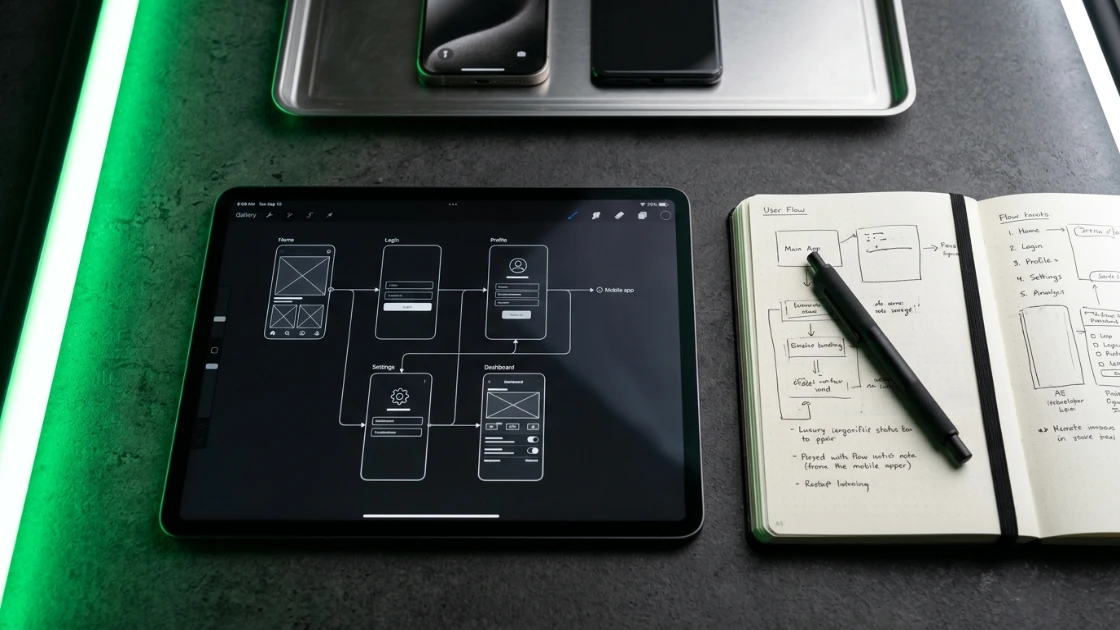
- [ ] Create user flow diagrams for the three most critical paths (onboarding, core action, and checkout).
- [ ] Design low-fidelity wireframes and conduct usability testing with paper prototypes.
- [ ] Build high-fidelity Figma mockups with your brand colors, typography, and spacing.
- [ ] Create a design system with reusable components before developers start coding.
- [ ] Design for dark mode from day one—retrofitting dark mode is time-consuming.
- [ ] Plan your onboarding flow: how do you guide a first-time user to the "Aha!" moment?
- [ ] Design empty states, error states, and loading skeletons for every screen.
- [ ] Get sign-off on all screens before development begins.
Phase 4: Development & Sprint Execution (Week 6-14)
This is where the rubber meets the road. Organize your development into two-week sprints.
- [ ] Sprint 1: Authentication, user profile, and database setup.
- [ ] Sprint 2: Core feature 1 (e.g., for a booking app: browse providers and view availability).
- [ ] Sprint 3: Core feature 2 (e.g., book an appointment and make a payment).
- [ ] Sprint 4: Secondary features, settings, and notifications.
- [ ] Sprint 5: Polish, animations, and performance optimization.
- [ ] Sprint 6: Beta testing with real users.
- [ ] Write unit tests for critical business logic.
- [ ] Set up crash reporting with Sentry.
- [ ] Configure analytics instrumentation from the first commit.
- [ ] Implement a feature flag system for gradual rollouts.
Phase 5: Testing & Quality Assurance (Week 14-16)
Testing on simulators is not enough. Real devices behave differently.
- [ ] Test on at least 10 physical iOS and Android devices.
- [ ] Test on slow network conditions (3G, airplane mode).
- [ ] Verify push notifications work correctly on locked devices.
- [ ] Run accessibility audits (VoiceOver, TalkBack, color contrast).
- [ ] Battery drain test: run the app for 2 hours and measure battery consumption.
- [ ] Memory leak test: navigate through every screen and verify memory doesn't grow unbounded.
- [ ] Security audit: check for hardcoded API keys, insecure storage, and SSL pinning.
- [ ] Get a professional QA engineer or service to run through your test plan.
Phase 6: App Store Preparation & Launch (Week 16-18)
The final sprint is about compliance, marketing, and launch coordination.
- [ ] Prepare App Store screenshots and preview videos for all device sizes.
- [ ] Write your App Store description with keywords for ASO (App Store Optimization).
- [ ] Set up App Store Connect and Google Play Console with all tax and banking information.
- [ ] Configure in-app purchases or subscription products if applicable.
- [ ] Prepare a privacy policy URL and terms of service.
- [ ] Test the app review process with a TestFlight beta build.
- [ ] Plan your launch marketing: Product Hunt, Hacker News, social media, email list.
- [ ] Prepare a support channel (email, in-app chat, or help center).
- [ ] Schedule your launch date and coordinate the press release.
Post-Launch: The First 30 Days
Your work does not end at launch. The first month is critical for retention.
- [ ] Monitor crash reports and fix critical bugs within 24 hours.
- [ ] Respond to every App Store review—good or bad—within 48 hours.
- [ ] Track day-1, day-7, and day-30 retention rates.
- [ ] Interview the first 100 users about their experience.
- [ ] Plan your first feature release based on user feedback.
- [ ] Begin work on version 2.0 with the most requested features.
Conclusion
Launching a mobile app is a marathon, not a sprint. By following this checklist, you avoid the common pitfalls that delay launches and frustrate users. At Rudra IT Solutions, we guide founders through each of these phases, providing technical expertise and project management so you can focus on your business.