
1Question — EdTech Parental Control
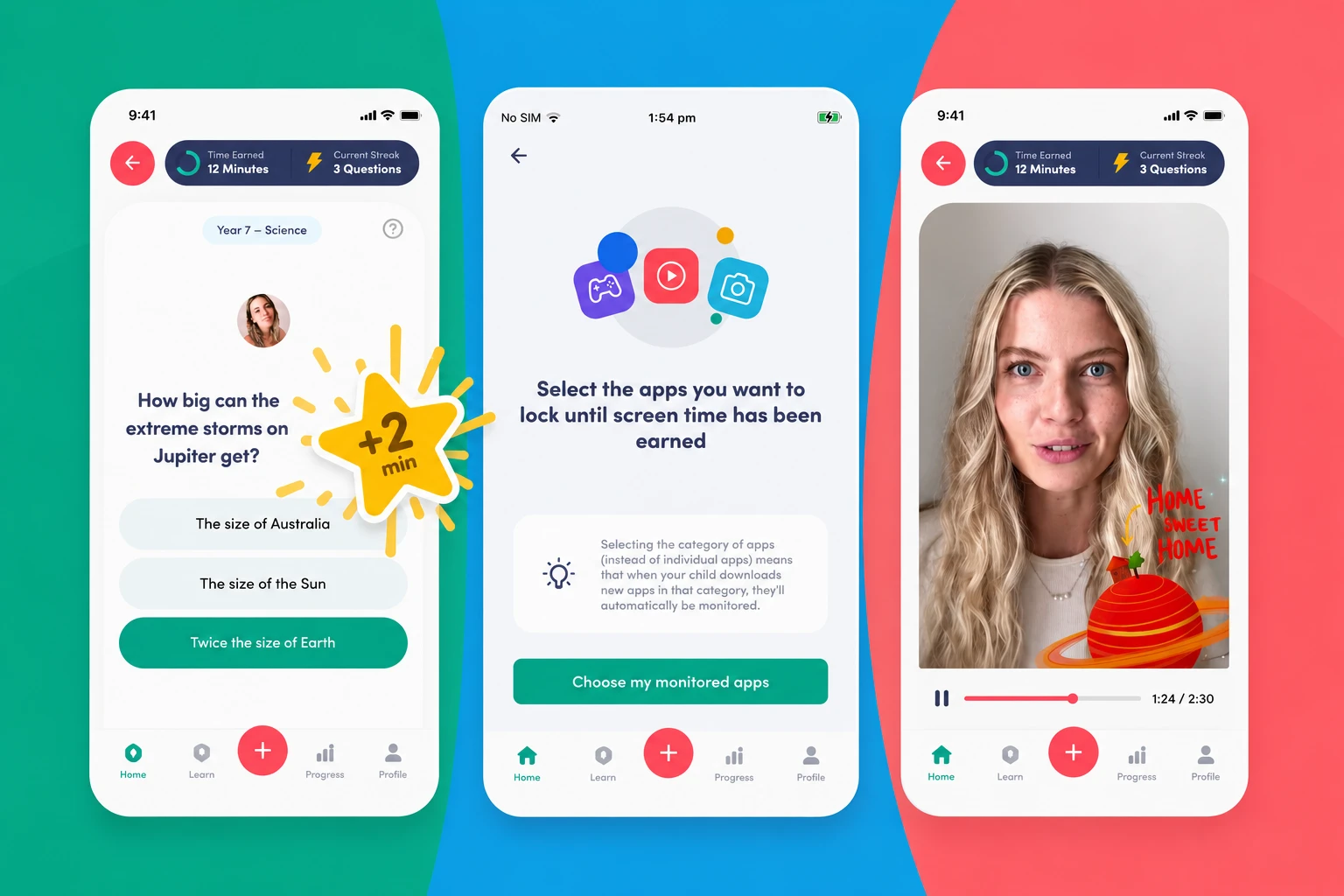
Revolutionary Android app that locks entertainment apps until children answer curriculum-aligned questions — driving 1.5M+ educational interactions.

Executive Summary
1Question had a bold idea: turn screen time into study time by making children answer math or English questions before unlocking games and videos. The technical challenge was building a bulletproof Android system-level app lock that couldn't be bypassed.
Creating a highly secure application lock overlay on Android that could not be bypassed by force-closing or restarting the device. Standard approaches could be circumvented by tech-savvy children through Android's developer settings or by simply force-stopping the app.
We implemented foreground services linked to Android system boot receivers, utilizing accessibility APIs to reliably detect app-switch events and display the question UI overlay. The service restarts itself on boot and cannot be killed without disabling accessibility permissions — which requires parental verification.
We prototyped 4 different Android lock approaches before settling on the accessibility service architecture. Each was tested by actual children in controlled sessions to ensure it couldn't be bypassed through common workarounds.
“Our product concept was technically ambitious, but the team made it look easy. The Android lock system is genuinely unbreakable — even our tech-savvy QA team couldn't bypass it.”
Founder
Related Case Studies
View all
Health & Wellness Platform
Premium longevity tracking app with AI meal analysis, wearable syncing, and real-time health coach collaboration shipped in 12 weeks.
Booqslot — Smart Booking Platform
All-in-one appointment scheduler with Twilio SMS/WhatsApp reminders and Stripe deposits — reduced no-shows by 65% for 1,200+ businesses.
Have a similar challenge?
Partner with Rudra IT Solutions to design, develop, and launch your product.